Partner Dashboard
Explore this Page
Overview
The Partner Dashboard in DataCore Insight Services provides a consolidated view of all SANsymphony customer environments that you have access to as a partner. From this page, you can monitor SANsymphony insights, managed capacity, license usage, and server group information across multiple customers.
Once your partner email address is authenticated in DataCore Insight Services and access is granted, you can view summarized and customer-specific SANsymphony data through the Partner Dashboard. The page displays aggregated statistics at the top, followed by a searchable list of customer cards with SANsymphony details.
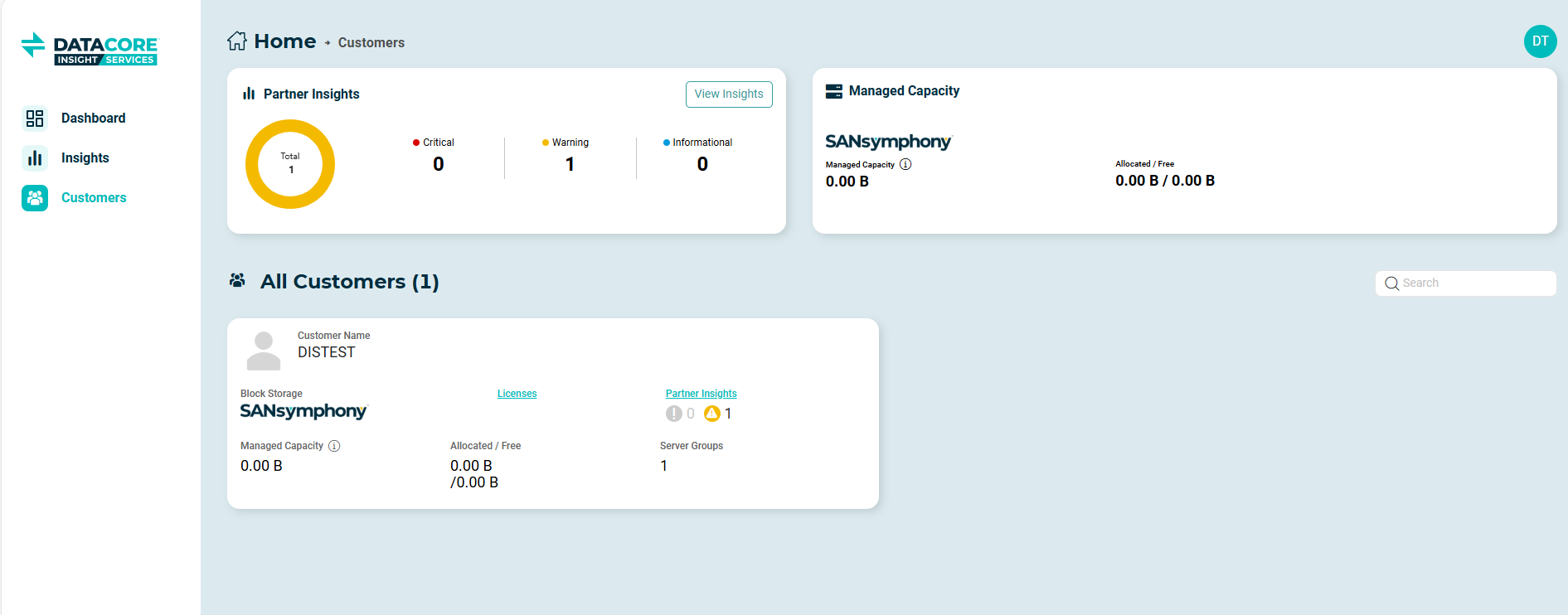
All data shown on the Partner Dashboard is collected from SANsymphony server groups that you are authorized to access and that are actively sending telemetry data to the cloud.
- Refer to Partner Access for instructions on granting partner access.
- Refer to Insight Notification Preferences to configure Partner Preferences for insight notifications related to customer environments.
Accessing the Partner Dashboard
To access the Partner Dashboard:
- Sign in to DataCore Insight Services using the default sign-in page.
- If partner access to one or more SANsymphony customer environments has been granted, the Partner Dashboard becomes available.
- From the navigation panel on the left, select Customers.
Viewing Partner Dashboard
The Partner Dashboard is divided into two main sections:
- Aggregated Statistics – Displays summarized SANsymphony insight and capacity information across all accessible customers.
- All Customers – Displays a list of customer cards showing SANsymphony storage, capacity, insight, and server group information.
Aggregated Statistics

The aggregated statistics are displayed as cards at the top of the Partner Dashboard. These cards provide a high-level summary of information collected from all SANsymphony server groups that you have access to.
Partner Insights
The Partner Insights card displays the total number of active SANsymphony insights across all accessible customers. Insights are grouped by severity:
- Critical
- Warning
- Informational
Select View Insights to review detailed insight information for individual customers.
Managed Capacity
The Managed Capacity card displays the total licensed SANsymphony capacity across the customers and server groups you have access to. Managed capacity values are derived from telemetry data collected from SANsymphony server groups. To ensure accurate reporting, all relevant server groups should be running the latest version. If some server groups are not upgraded, the displayed values may be partially accurate, reflecting only those server groups with the latest telemetry support.
All Customers
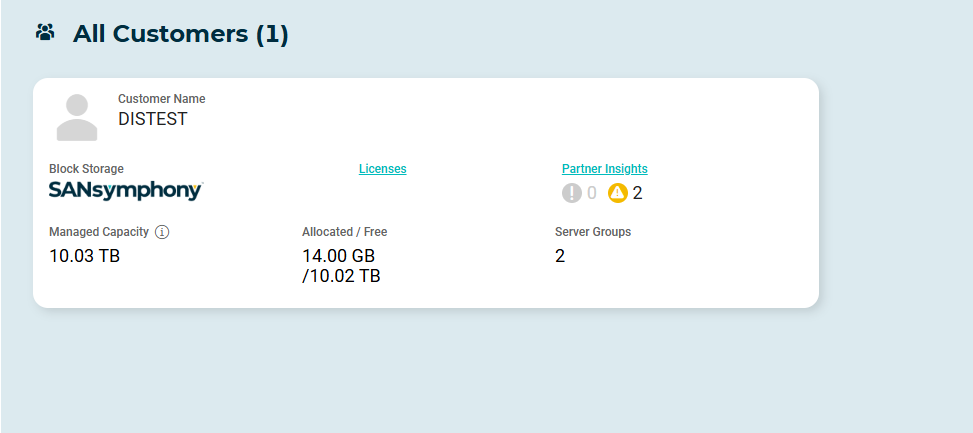
The All Customers section displays a card-based list of all SANsymphony customers that have granted you access. This section provides customer-level visibility into SANsymphony insights, capacity, and server group information.
Customer Cards
You can use the Search field to filter the list by customer name and quickly locate a specific customer. Each customer is represented by a card that displays a summary of SANsymphony-related information for that customer.
For each customer, you can view the following details:
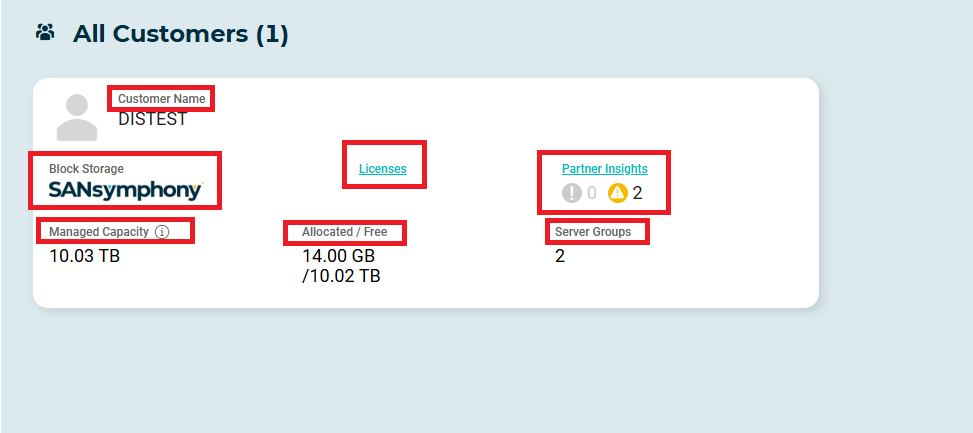
- Product: Displays SANsymphony as the DataCore block storage product used by the customer.
- Managed Capacity: Displays the total licensed SANsymphony capacity for the customer. Managed capacity values are collected from telemetry data sent by SANsymphony server groups. If all server groups are not running a version that supports the latest telemetry, the displayed values may be partially accurate.
- Allocated / Free: Displays the allocated and free SANsymphony capacity values for the customer.
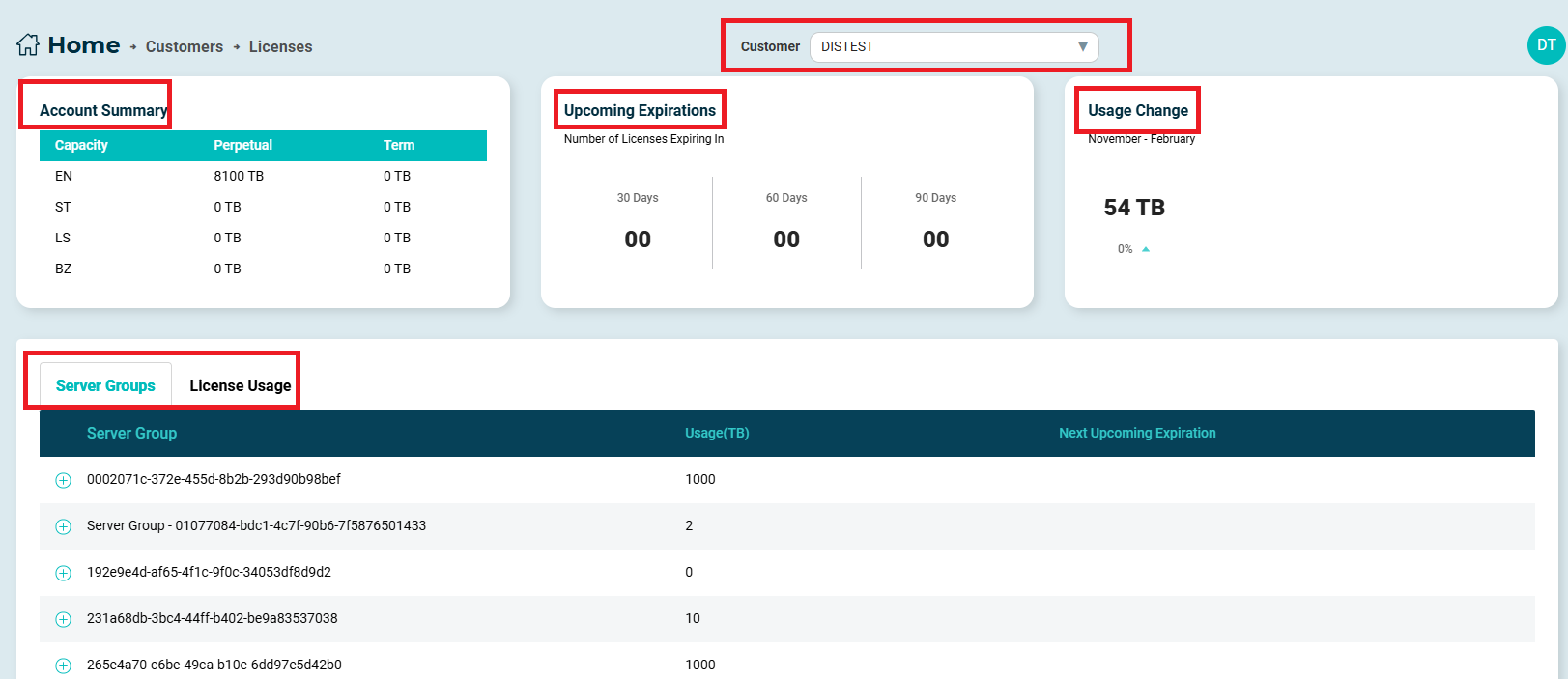
- Licenses: Select Licenses to view SANsymphony license information for the selected customer. The Licenses page provides an account-level summary of licensed capacity, upcoming license expirations, and usage changes, along with server group–level license usage details.
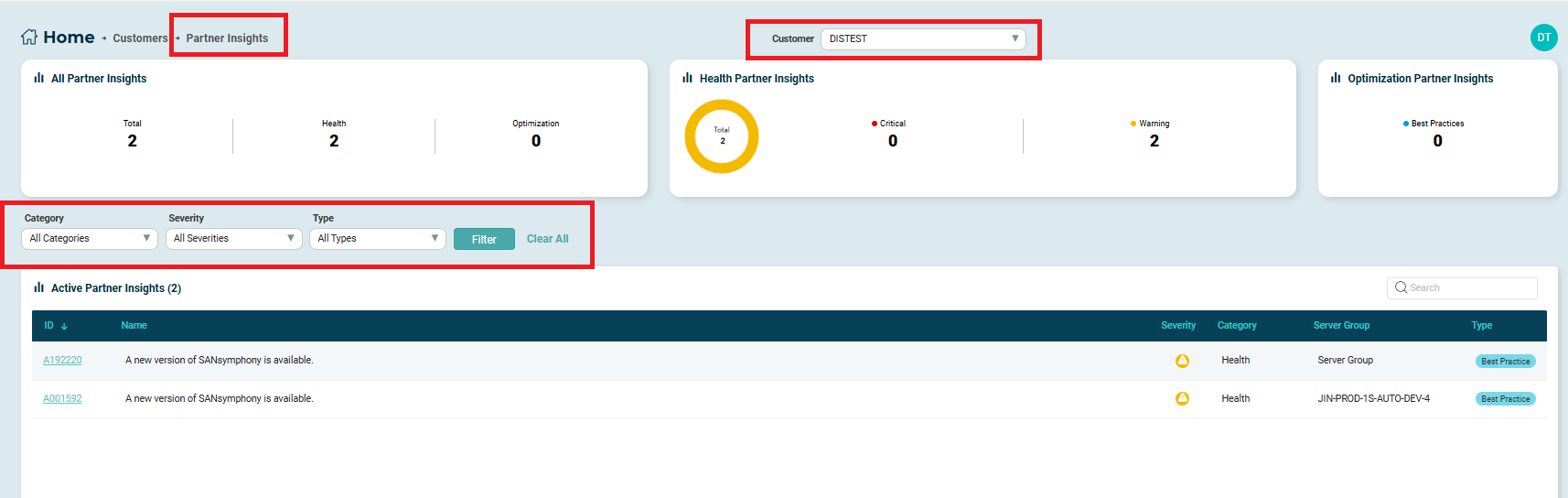
- Partner Insights: Displays a summary of SANsymphony insights for the customer, shown as counts grouped by severity. Select Partner Insights to view detailed insight information for the selected customer. You can refine the displayed insights using the available Category, Severity, and Type filters, or use the Search field to locate a specific insight by ID or name. Select Filter to apply the selected criteria, or Clear All to remove applied filters. Selecting an Insight ID opens the insight details, providing additional information about the insight. You can switch between customers using the Customer drop-down at the top of the page to view insights for a different SANsymphony customer.
- Server Groups: Displays the total number of SANsymphony server groups associated with the customer.
Learn More