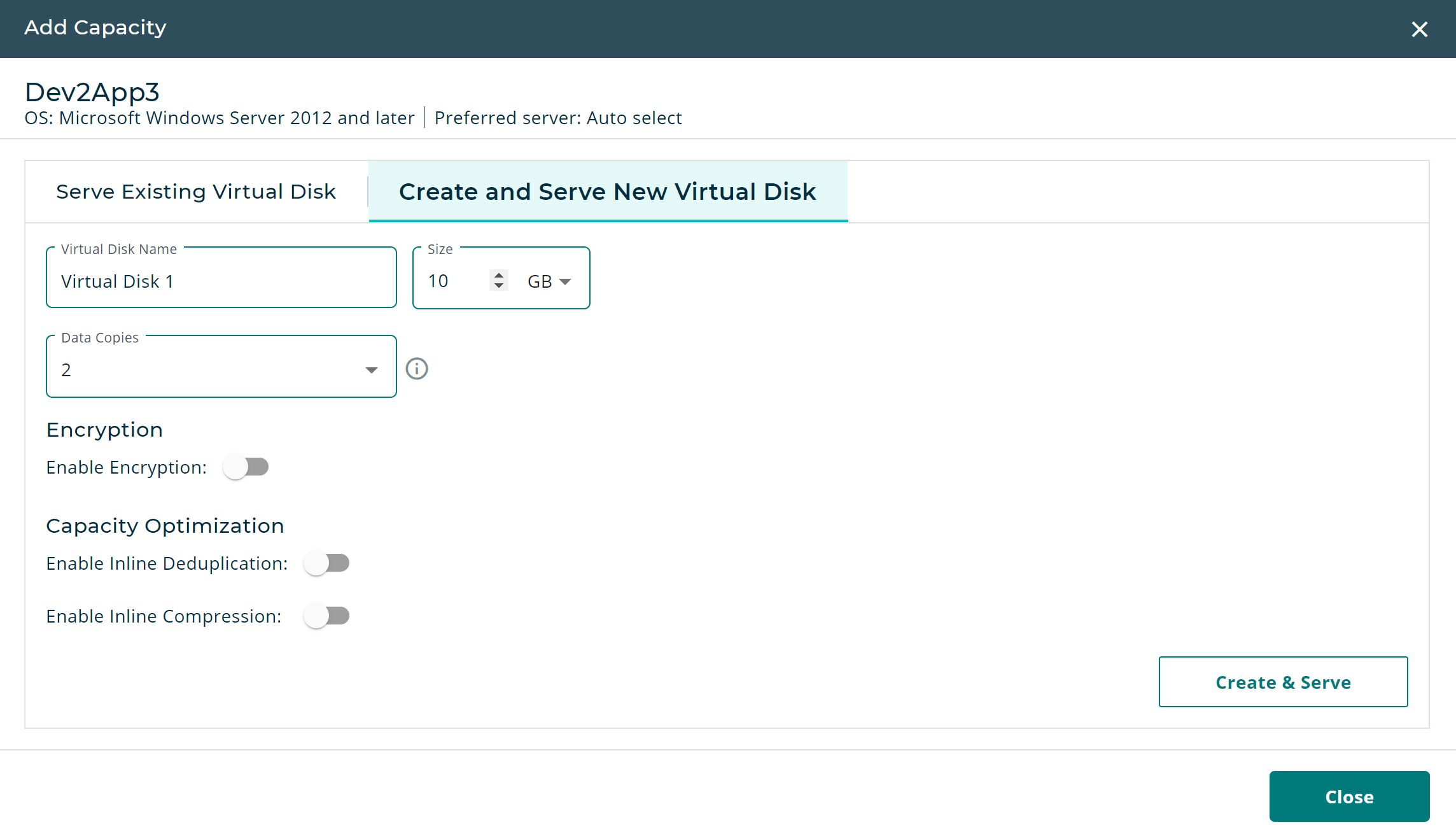
Create a New Virtual Disk with Capacity Optimization
You can enable Capacity Optimization for a new disk when you are creating and serving it from the Host Details page. To enable it for an existing virtual disk, see Enable Capacity Optimization for an Existing Virtual Disk.
- In the Hosts list, click the Actions icon next to the selected host; or from the Host Details page, click Add Capacity.
- Click the Create and Serve New Virtual Disk tab.
- Enter the details for the virtual disk: name, size, and data copies.
- Under Capacity Optimization, click the toggle switches for the settings that you want to enable: Enable Inline Deduplication and/or Enable Inline Compression.
- Click Close when you are finished adding capacity to the host.